For single-player sandbox games
A mod menu for games where messing about is the whole point
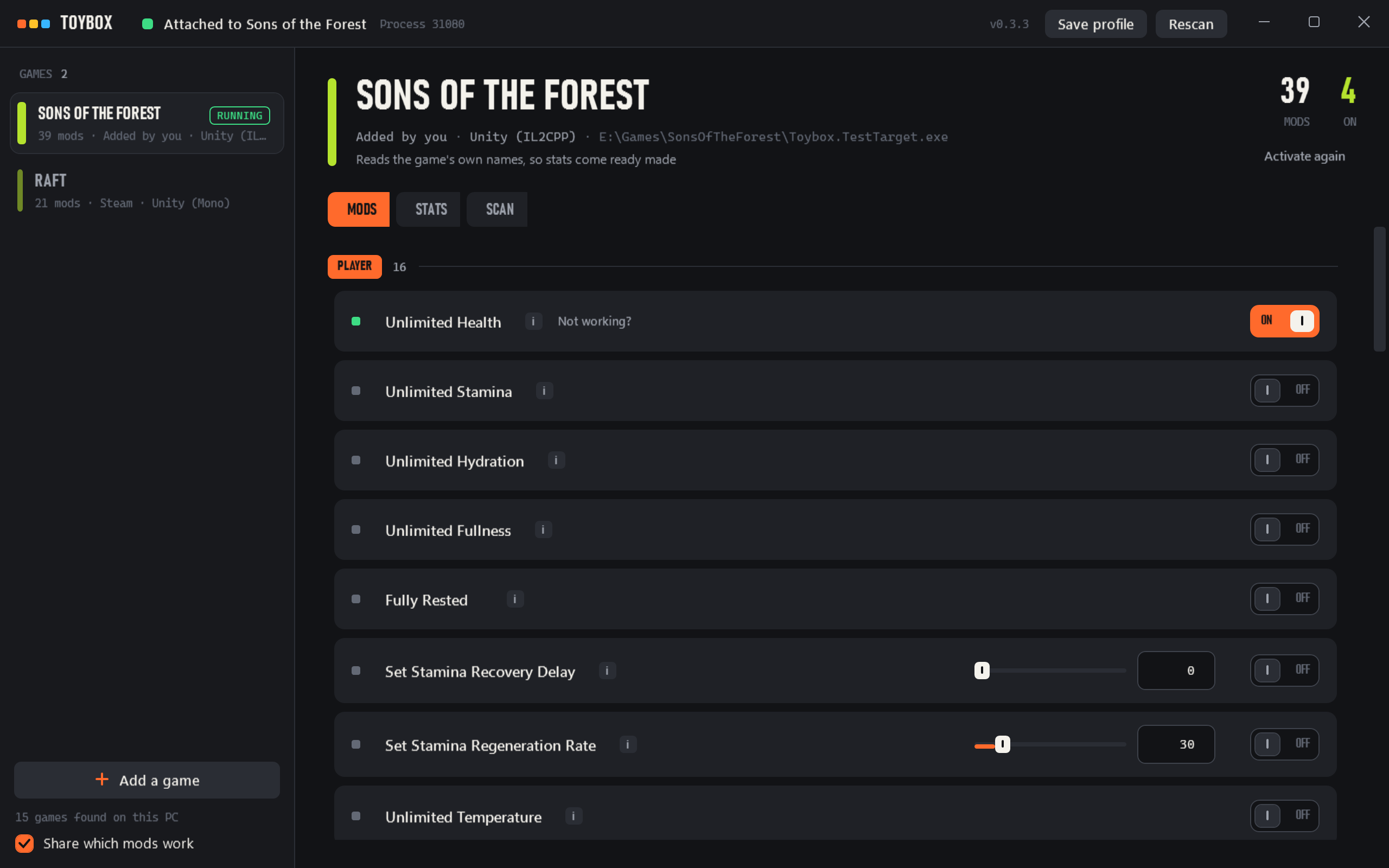
Unlimited resources, no build timers, instant crafting. Toybox switches them on and off from one window while you play, and puts everything back when you're done.
Single player, and only single player
Toybox has no interest in competitive or multiplayer games, and there's nothing in it that touches anyone else's session. It's for your own world on your own PC, where infinite wood hurts nobody.
How it works
It never runs inside the game
Outside looking in
Toybox reads and writes the game's memory from the outside. Nothing is injected and nothing of ours runs in the game, so if Toybox closes or crashes the game carries on without noticing.
Nothing's written until it checks out
Before every write the whole route to the value is walked again and the memory at the end is checked. If any step looks wrong the mod waits rather than writing somewhere it shouldn't, which is how most trainers crash games.
Switching off puts it back
Values go back to what the game had. The few mods that change the game's code keep the original bytes and restore them exactly.
Light enough not to notice
Held values are rewritten on one thread, 15 times a second. That's a few microseconds of work and it doesn't show up in frame times.
Game updates
Mods that survive a patch
On Unity games Toybox finds things by the game's own names, like your health or the build timer, rather than by an address that moves with every patch.
When a developer does rename something, copies of Toybox spot the likeliest new name. Once 3 players agree on it the fix goes out to everyone, with no app update needed.
Of the 39 mods players have reported on this month, 38 are working.
Any game
Find your own
The Scan tab works on every game, even one Toybox has never heard of. Search for a number you can see on screen, then narrow it down as it changes. Search for 87 wood, chop a tree, search for 62, and you're down to the one address worth freezing.
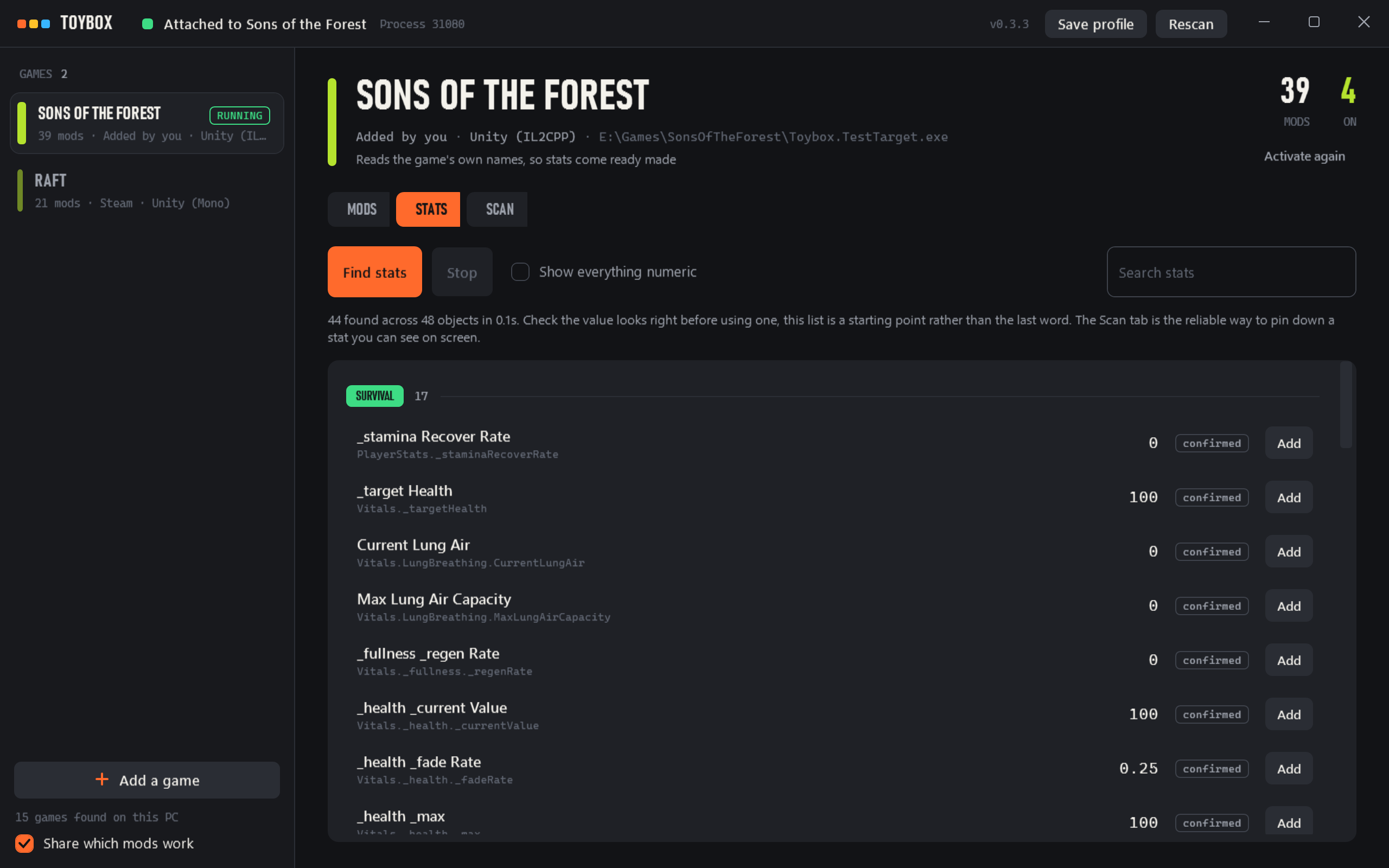
On Unity games the Stats tab goes further and lists the values the game is actually running, already named and grouped, so there's nothing to search for first.
Make a mod turns what you found into a menu entry with a name, a range and a hotkey. Find stable path works out how the game reaches it, so it still works tomorrow.
Ready-made mods
Games
Raft
21 mods · Building, Enemies, Game, Inventory
No reports yetSons of the Forest
39 mods · Player, Inventory, Weapons, Physics
38 working, 1 not foundAny other game
Scan works on everything, and Stats finds live values on Unity games
Good to know
- Windows warns before the installer runs
- The installer isn't code signed yet, so SmartScreen shows "Windows protected your PC". Pick More info, then Run anyway. On a PC with Smart App Control switched on, Windows can refuse it outright until it's signed.
- Some games need Toybox as administrator
- If a game runs as administrator, Toybox has to as well before it can write to it. The header says so when that's what's wrong.
- Updates
- Toybox looks for a new version when it starts and downloads it in the background. Nothing changes until you press Update, as restarting switches every mod off.
- What it shares
- After reading a game, Toybox sends which of its mods found what they were looking for, with a random number standing in for you. Nothing else about you or your PC. It's on by default, the first launch says so and a switch on the shelf turns it off.